About Screen Recorder - NRecorder
Record your screen and reactions at the same time with our all-in-one (Screen Recorder) Face Cam Screen Record App! Add a picture-in-picture overlay to showcase your real-time expressions while capturing every detail on...
Record your screen and reactions at the same time with our all-in-one (Screen Recorder) Face Cam Screen Record App!
Add a picture-in-picture overlay to showcase your real-time expressions while capturing every detail on your screen. Instantly share your videos on social media and engage your audience like never before. Recording your screen and save in multiple formats.
Record your gameplay, live streams, or Let’s Play videos effortlessly, whether for sharing or in-depth analysis. Customize recorder with facecam settings with adjustable resolution, frame rate, and bit rate for crystal-clear quality.
Add text, shapes, and highlights to emphasize key moments and keep your audience engaged. Trim, cut, and splice your footage to create a smooth, professional final product.
Main Features of Screen Recording Camera:
Screen Recording Camera
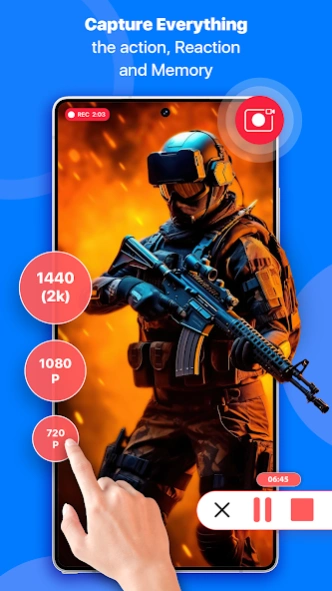
Record your screen in high quality within few taps. Capture tutorials, gameplay, video calls, and more. Customize recording settings like resolution, frame rate, and audio source.
Commentary
Express your emotions and provide valuable commentary. Choose from various camera positions and sizes. Once everything is set, start recording and proceed with your screen activity and commentary.
Facecam Screen Record
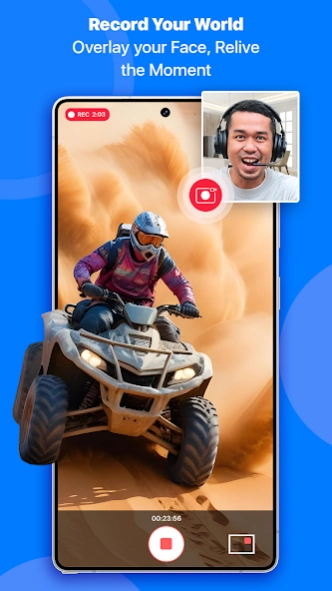
A facecam during video recording is a small video feed of the content creator face typically displayed in the corner of the screen. Practice your presentation or commentary beforehand to ensure a smooth and professional recording.
Video Editor screen app
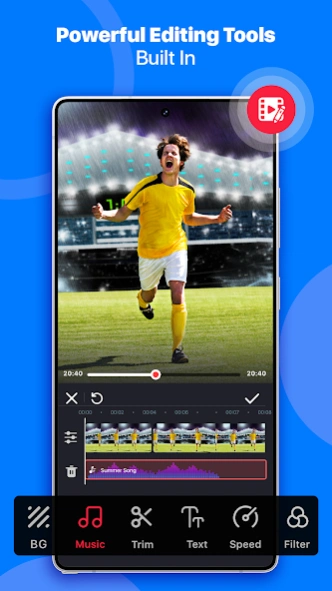
Trim, cut, and merge clips with ease. Add music, text overlays, and special effects. Enhance your videos with filters and transitions. se your chosen software to trim, edit, and add effects to your recording.
Screen Recoding Facetime recorder Cam
screen recording editing app with facecam recording is a popular technique for creating engaging and informative videos. It allows you to capture your screen activity while simultaneously displaying your reactions, explanations, or commentary through a face cam.
My Recordings (Saved Files)
Collect your memories and save it to my recordings (saved files). after saving your files you will be able to share your creations on social media or your friends and family.
Video recorder Settings
Choose appropriate settings based on your needs and the complexity of your content. Adjust the size and placement of your facecam recording overlay within the screen recording camera. Use the preview function to check your audio, video, and overall composition before you start recording.
Screen Record Video Quality (Record fps)
Choose the perfect video quality while recording your screen, from 240p for quick previews to stunning 1440p for high-definition clarity. Whether you're capturing game play (Record Game), live streams, or tutorials, adjust the resolution to match your needs—260p, 480p, 720p, 1080p, and beyond.
Previous Versions
Here you can find the changelog of Screen Recorder - NRecorder since it was posted on our website on 2025-10-22 20:16:23.
The latest version is and it was updated on 2026-10-03 13:24:09. See below the changes in each version.
Screen Recorder - NRecorder version
Updated At: 2025-08-28
Disclaimer
Official Google Play Link
We do not host Screen Recorder - NRecorder on our servers. We did not scan it for viruses, adware, spyware or other type of malware. This app is hosted by Google and passed their terms and conditions to be listed there. We recommend caution when installing it.
The Google Play link for Screen Recorder - NRecorder is provided to you by apps112.com without any warranties, representations or guarantees of any kind, so access it at your own risk.
If you have questions regarding this particular app contact the publisher directly. For questions about the functionalities of apps112.com contact us.